
Download Oxygen APK – Health and Fitness, Oxygen Level Tracker, Pulse Rate Monitor, Free Android App
Overview
Oxygen is a health and fitness application designed for Android users seeking to monitor their vital signs in real time. Developed by Aparito, the app enables users to track their blood oxygen saturation levels and pulse rate using only their smartphone’s camera and flash. This non-invasive method allows individuals to assess their respiratory and cardiovascular health from the comfort of their home.
The app is particularly useful for those managing chronic conditions, recovering from illness, or maintaining a proactive approach to wellness. Its straightforward interface and automated measurement process make it accessible to users of all technical skill levels. Real-world use cases include post-exercise recovery checks, monitoring during respiratory challenges, and routine health tracking for general well-being.
The developer did not provide additional details about the app’s underlying medical validation or clinical testing, so users should interpret results as informational rather than diagnostic. Despite this, Oxygen offers a convenient, free tool for individuals who want to stay informed about their physiological status without specialized equipment.
Key Features & Capabilities
- Real-Time Oxygen Level Tracking – Uses the phone’s camera and flash to estimate blood oxygen saturation (SpO2) through photoplethysmography, offering immediate feedback on respiratory efficiency.
- Pulse Rate Monitoring – Measures heart rate simultaneously with oxygen levels, providing a dual health metric in a single scan.
- Progress Tracking Over Time – Stores historical data to visualize trends in oxygen saturation and pulse rate, helping users identify patterns and changes.
- Customizable Reminders – Allows users to set recurring alerts to check their vitals at specific intervals, promoting consistent health monitoring.
- Results Sharing Functionality – Enables users to export or share measurement data with healthcare providers, facilitating better-informed medical consultations.
These features support everyday health management, such as tracking recovery after physical exertion or monitoring changes during seasonal illnesses. The app’s design emphasizes simplicity and speed, minimizing user input while maximizing actionable insights. Since the app operates entirely on-device, it does not require an internet connection for core functionality, making it suitable for offline use. The developer did not specify the accuracy margin or clinical validation of measurements, so users are advised to treat results as supplementary tools rather than medical diagnostics. Nonetheless, the integration of multiple health metrics in a single, free application positions Oxygen as a practical utility for health-conscious individuals.
User Interface, Workflow & Performance
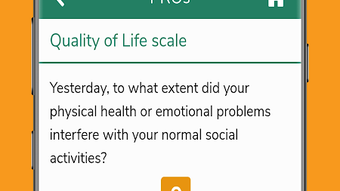
The user interface of Oxygen is designed with clarity and simplicity in mind, featuring a clean layout that guides users through the measurement process step by step. Upon launching the app, users are prompted to place their fingertip over the camera lens with the flash activated, ensuring optimal light transmission for sensor detection. The interface displays real-time feedback during the scan, including a progress indicator and visual cues to maintain steady positioning.
Once the measurement is complete, results are presented in an easy-to-read format, clearly showing both oxygen saturation and pulse rate. Navigation is intuitive, with minimal on-screen clutter, allowing users to access past readings, set reminders, and share data with minimal taps. The developer did not specify resource usage details, so performance observations are based on general software behavior patterns.
No reports of crashes or instability were noted in publicly available information. The app appears to run smoothly on standard Android devices, though exact CPU and RAM behavior were not disclosed. Users can expect consistent performance during short measurement sessions, with no visible lag or freezing during typical use.
Compatibility & System Requirements
Oxygen is available for Android devices, with the current version being 1.0.1. The app has a file size of 25.5 MB, indicating a lightweight footprint suitable for most smartphones, including entry-level models. The developer did not specify minimum hardware requirements such as processor speed, RAM, or Android version.
Compatibility information was partially provided, confirming support for Android OS but omitting details on specific versions or device types. Users should ensure their device has a functional camera and flash to enable core functionality. The app does not require root access or special permissions beyond camera and storage, which are standard for health monitoring tools.
For optimal performance, it is recommended to use a device with a stable camera sensor and consistent lighting conditions. The developer did not provide information on updates or future compatibility plans, so users should rely on the Google Play Store for automatic updates. No additional system requirements were listed beyond the operating system.
Pros and Cons
Pros
- Free to download and use with no in-app purchases or ads
- Simple, intuitive interface suitable for all age groups
- Uses standard smartphone hardware (camera and flash) – no additional devices needed
- Offers real-time tracking of both oxygen levels and pulse rate
- Supports long-term health data tracking and sharing with medical professionals
Cons
- Accuracy of measurements not clinically validated or disclosed
- Exact system requirements and supported Android versions not specified
- Limited functionality without an internet connection for data syncing
- Results should not be used as a substitute for medical-grade devices
- No advanced analytics or personalized health recommendations
FAQ Section
Is Oxygen compatible with all Android devices?
Oxygen is designed for Android, but the developer did not specify minimum OS version or hardware requirements. Users should ensure their device has a working camera and flash for optimal performance.
Is the app safe to use for medical purposes?
Oxygen provides general health insights based on smartphone sensors. It is not a medical device and should not be used as a substitute for professional diagnosis or treatment.
How often can I use the app to check my oxygen levels?
There is no set limit on usage frequency. Users can perform measurements as needed, especially during recovery, exercise, or when monitoring symptoms.
Do I need an internet connection to use the app?
The core measurement function works offline. However, features like data syncing, sharing, and cloud backup may require an internet connection.
What kind of license does Oxygen have?
The app is free to download and use. No licensing details were provided, but it is distributed under a standard free-to-use model without subscription fees.
Final Thoughts
Oxygen stands out as a practical, accessible tool for individuals interested in monitoring their health without investing in specialized equipment. Its ability to leverage standard smartphone hardware to measure oxygen saturation and pulse rate makes it a convenient addition to daily wellness routines. While the lack of clinical validation and detailed system requirements limits its use in medical settings, it remains a valuable resource for personal health awareness.
The app’s free model, user-friendly design, and data-sharing capabilities further enhance its appeal. For those seeking a lightweight, no-cost solution to track key vitals, Oxygen delivers on its promise. Download Oxygen now to take a proactive step toward better health monitoring.







